> ## Documentation Index
> Fetch the complete documentation index at: https://koreai-ai-for-service-dev.mintlify.site/llms.txt
> Use this file to discover all available pages before exploring further.
# Using the Shopify Action Templates
[Back to Actions Integrations](/ai-for-service/integrations/overview#actions)
Use prebuilt Shopify action templates to auto-create dialog tasks for managing orders, products, and customers.
**To access templates:**
1. Go to **Automation AI** > **Use Cases** > **Dialogs** and click **Create a Dialog Task**.
2. Under **Integration**, select **Shopify**.
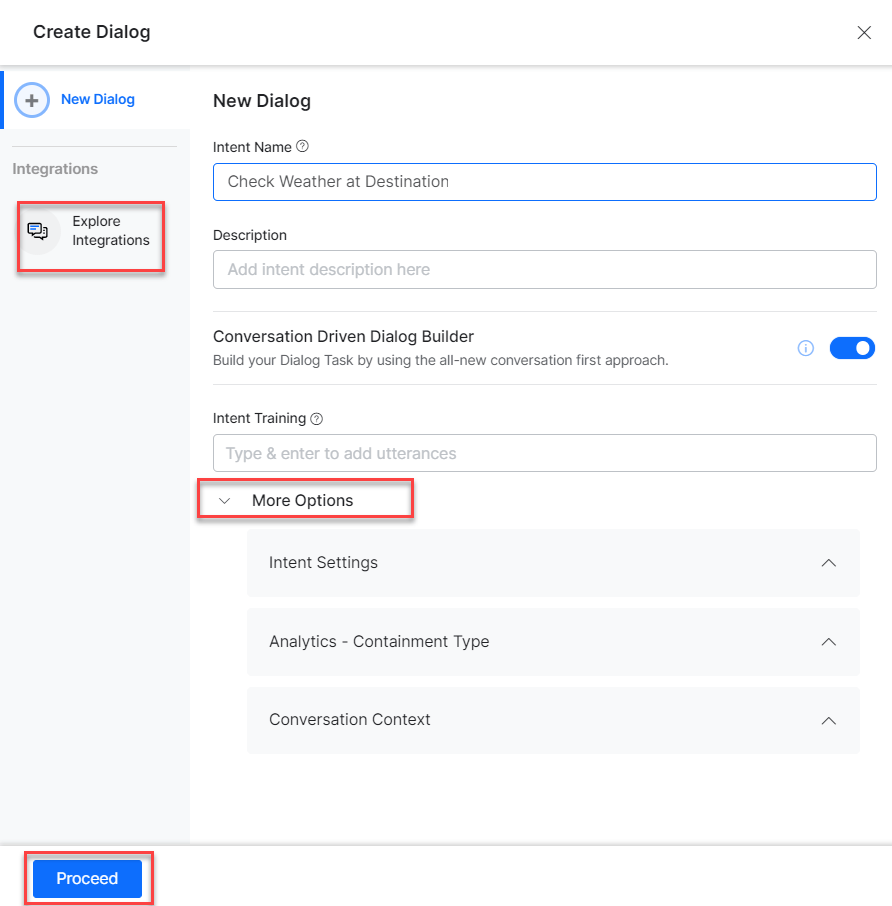
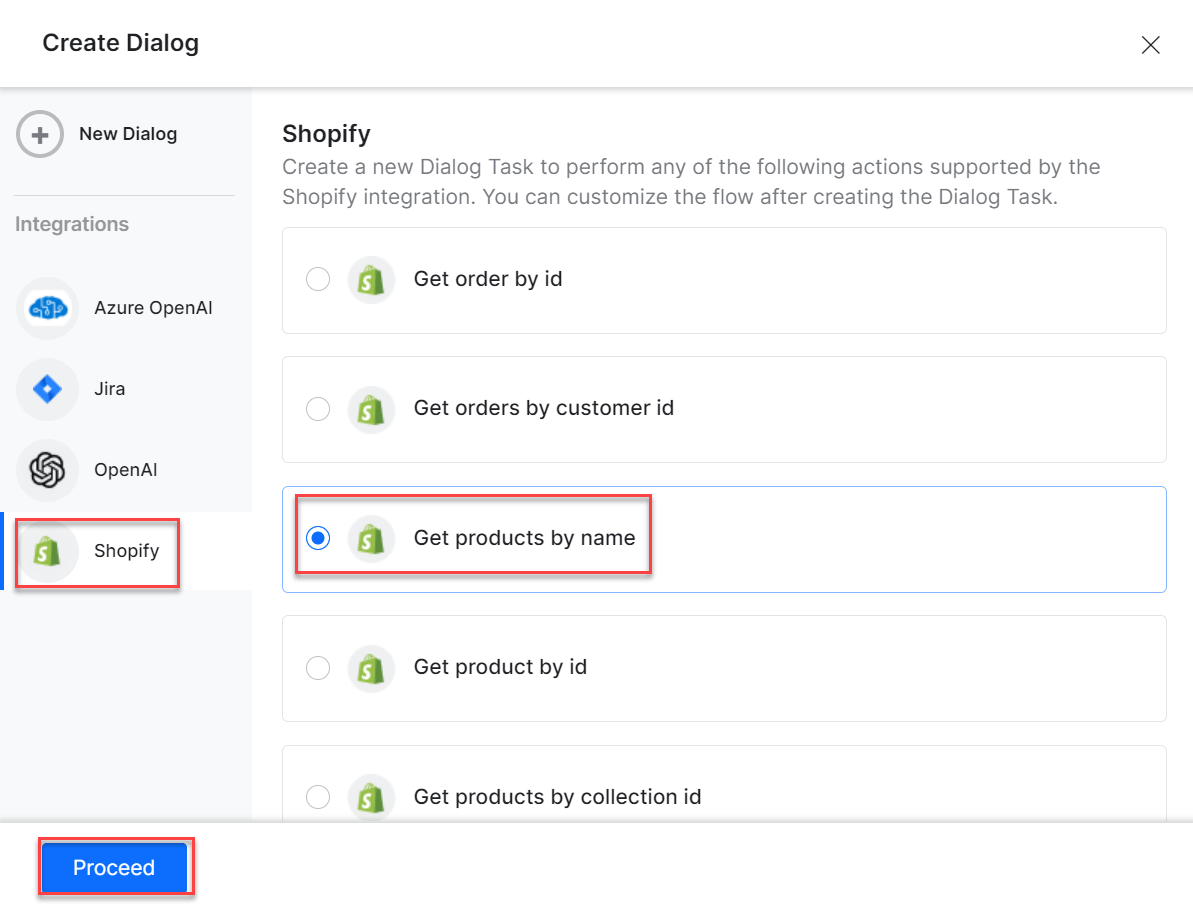 3. If no integration is configured, click **Explore Integrations** to set one up. See [Actions Overview](/ai-for-service/integrations/overview#actions).
 ***
## Supported Actions
| Task | Description | Method |
| ----------------------------- | ------------------------------------------------ | ------ |
| Get order by ID | Retrieves order details with an order ID. | GET |
| Get orders by customer ID | Retrieves orders using the customer ID. | GET |
| Get products by name | Retrieves products using their names. | GET |
| Get product by ID | Retrieves product details using the ID. | GET |
| Get products by collection ID | Retrieves products using the collection ID. | GET |
| Get variants by product ID | Retrieves product variants using the product ID. | GET |
***
### Get Order by ID
1. Install the template from [Shopify Action Templates](/ai-for-service/integrations/actions/configuring-the-shopify-action#step-2-install-the-shopify-action-templates).
2. The **Get Order by ID** dialog task is added with the following components:
***
## Supported Actions
| Task | Description | Method |
| ----------------------------- | ------------------------------------------------ | ------ |
| Get order by ID | Retrieves order details with an order ID. | GET |
| Get orders by customer ID | Retrieves orders using the customer ID. | GET |
| Get products by name | Retrieves products using their names. | GET |
| Get product by ID | Retrieves product details using the ID. | GET |
| Get products by collection ID | Retrieves products using the collection ID. | GET |
| Get variants by product ID | Retrieves product variants using the product ID. | GET |
***
### Get Order by ID
1. Install the template from [Shopify Action Templates](/ai-for-service/integrations/actions/configuring-the-shopify-action#step-2-install-the-shopify-action-templates).
2. The **Get Order by ID** dialog task is added with the following components:
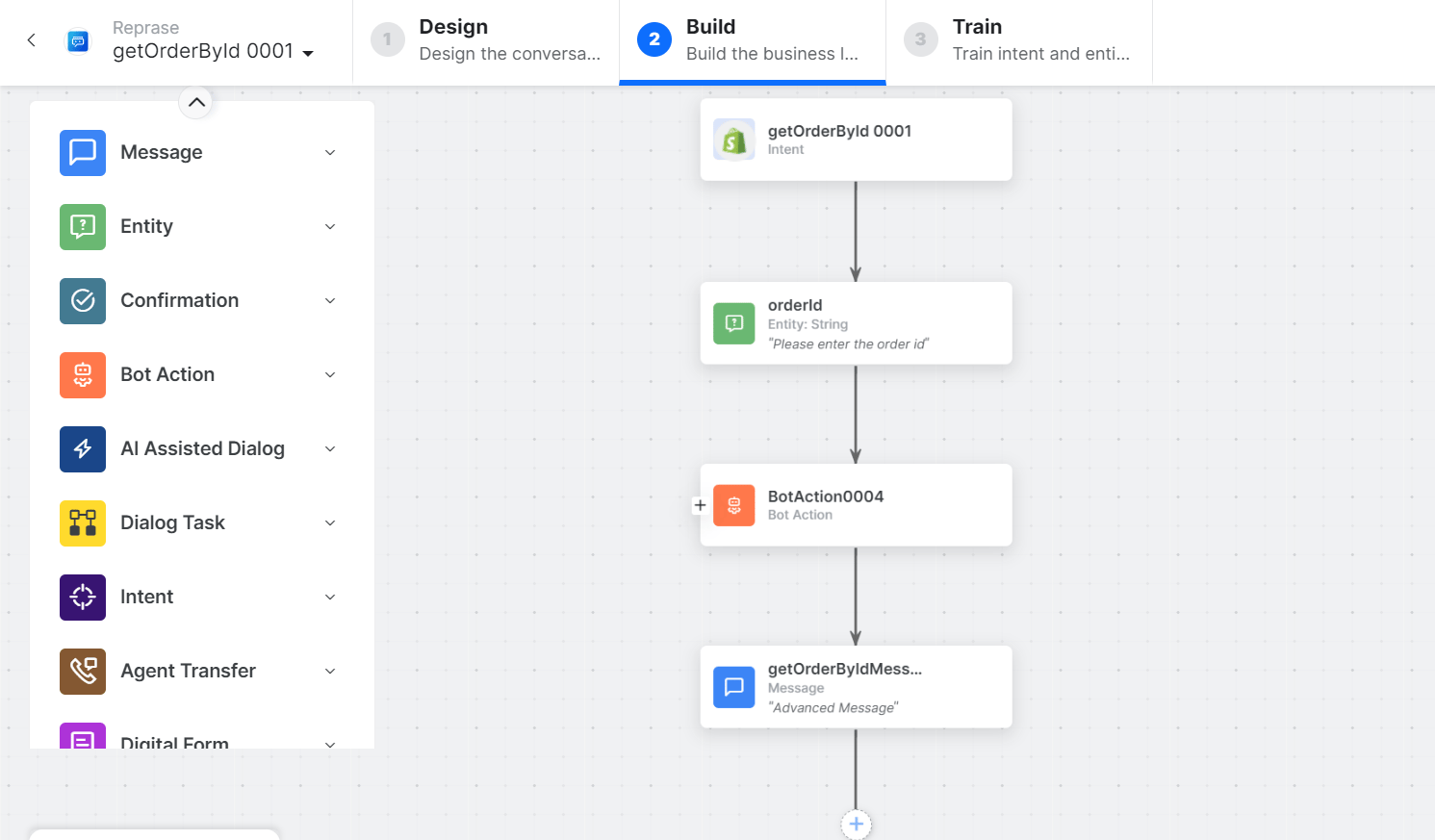 * **getOrderbyID** - User intent to fetch an order by ID.
* **orderID** - Entity node for the order ID.
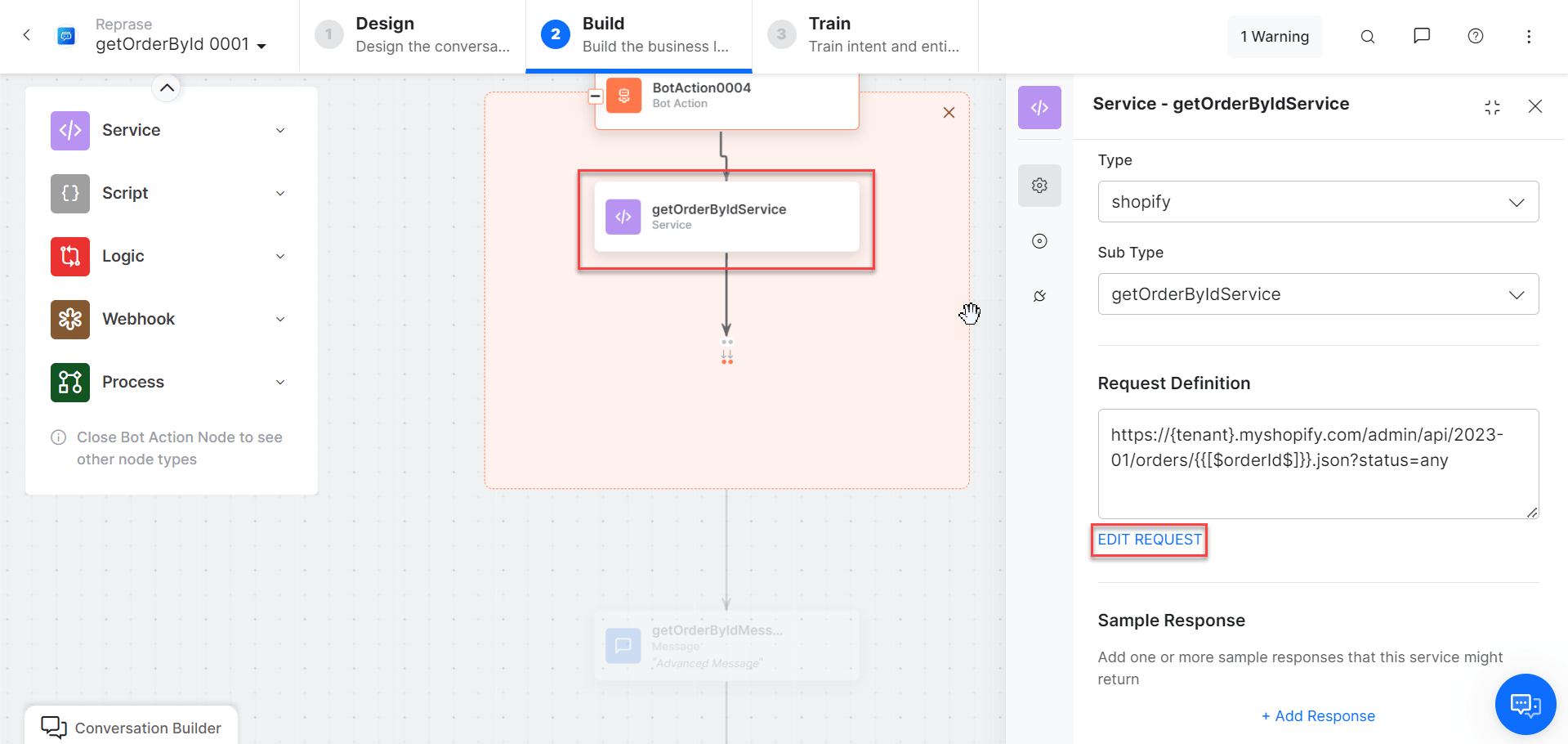
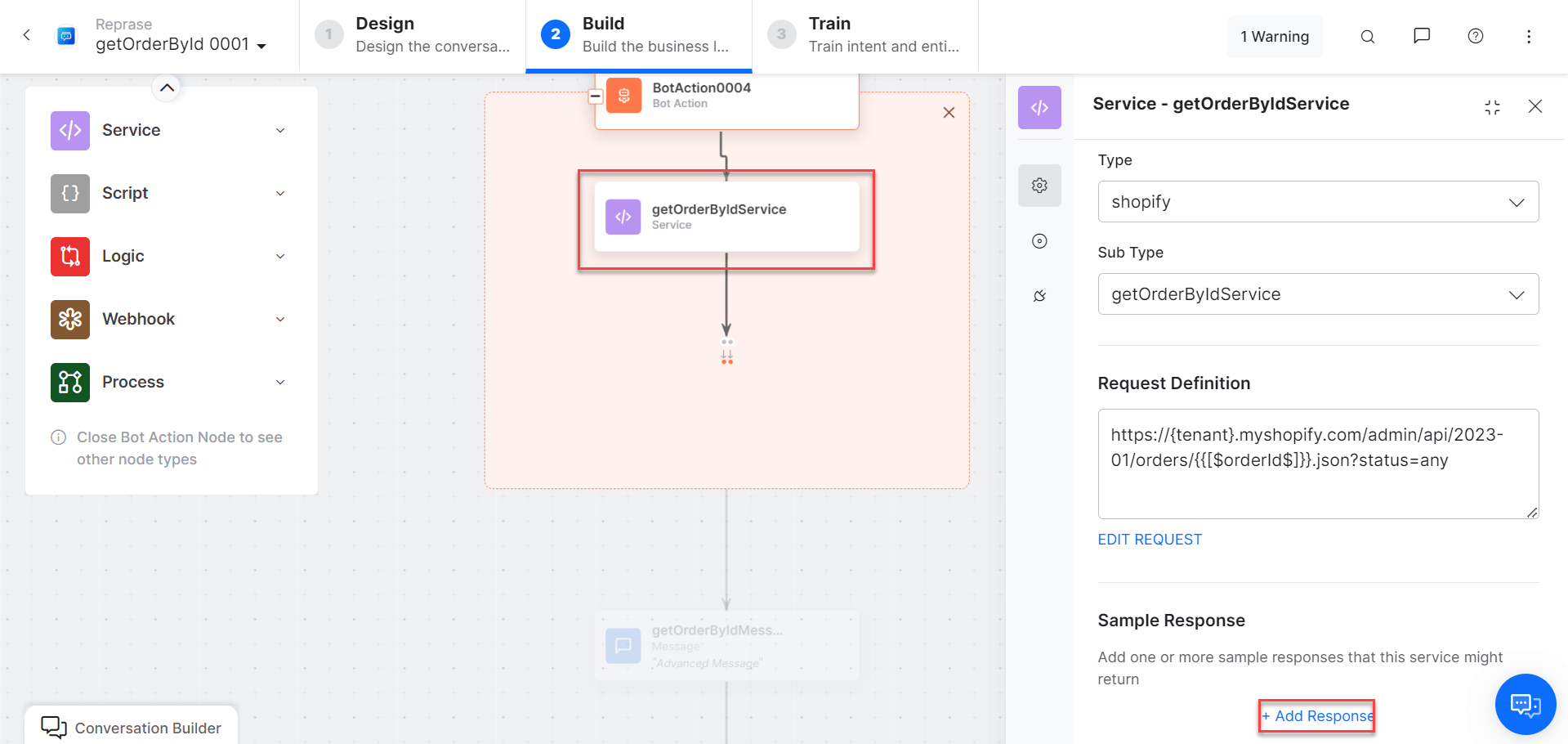
* **getOrderbyIDService** - Bot action service to get an order by ID. Click **Edit Request**:
* **getOrderbyID** - User intent to fetch an order by ID.
* **orderID** - Entity node for the order ID.
* **getOrderbyIDService** - Bot action service to get an order by ID. Click **Edit Request**:
 Click **+Add Response**:
 * **getOrderbyIDMessage** - Message node to display responses.
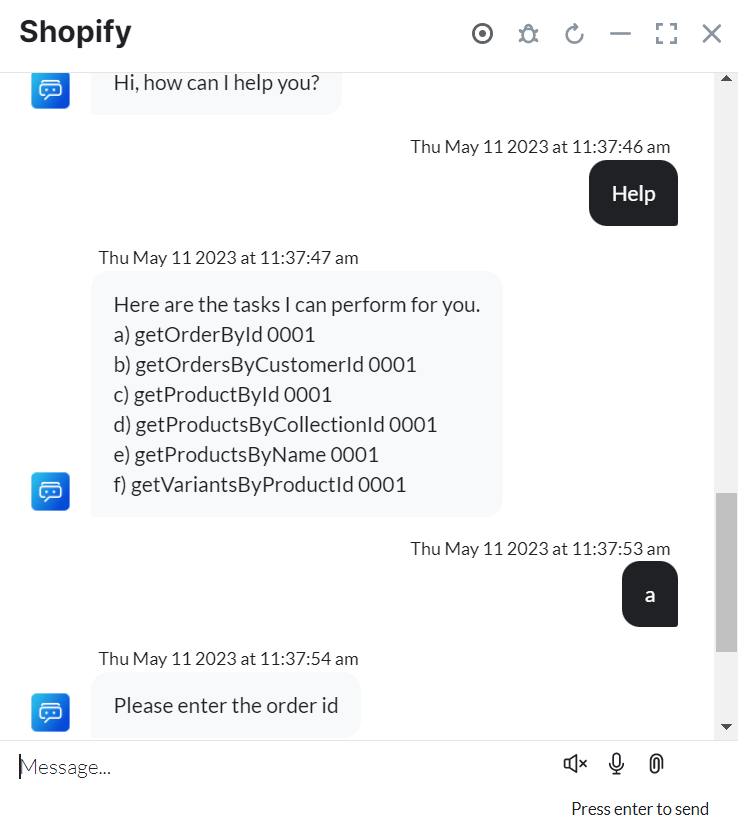
3. Click **Train**, then **Talk to Bot** to test:
* **getOrderbyIDMessage** - Message node to display responses.
3. Click **Train**, then **Talk to Bot** to test:
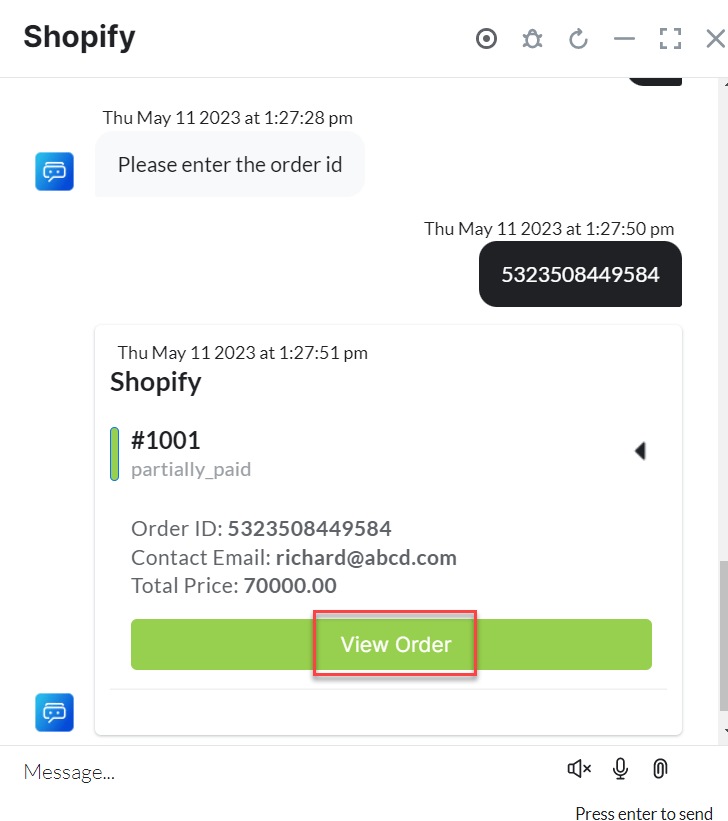
 4. Click **View Order** to see order details in Shopify:
 ***
### Get Orders by Customer ID
1. Install the template from [Shopify Action Templates](/ai-for-service/integrations/actions/configuring-the-shopify-action#step-2-install-the-shopify-action-templates).
2. The **Get Orders by Customer ID** dialog task is added with the following components:
***
### Get Orders by Customer ID
1. Install the template from [Shopify Action Templates](/ai-for-service/integrations/actions/configuring-the-shopify-action#step-2-install-the-shopify-action-templates).
2. The **Get Orders by Customer ID** dialog task is added with the following components:
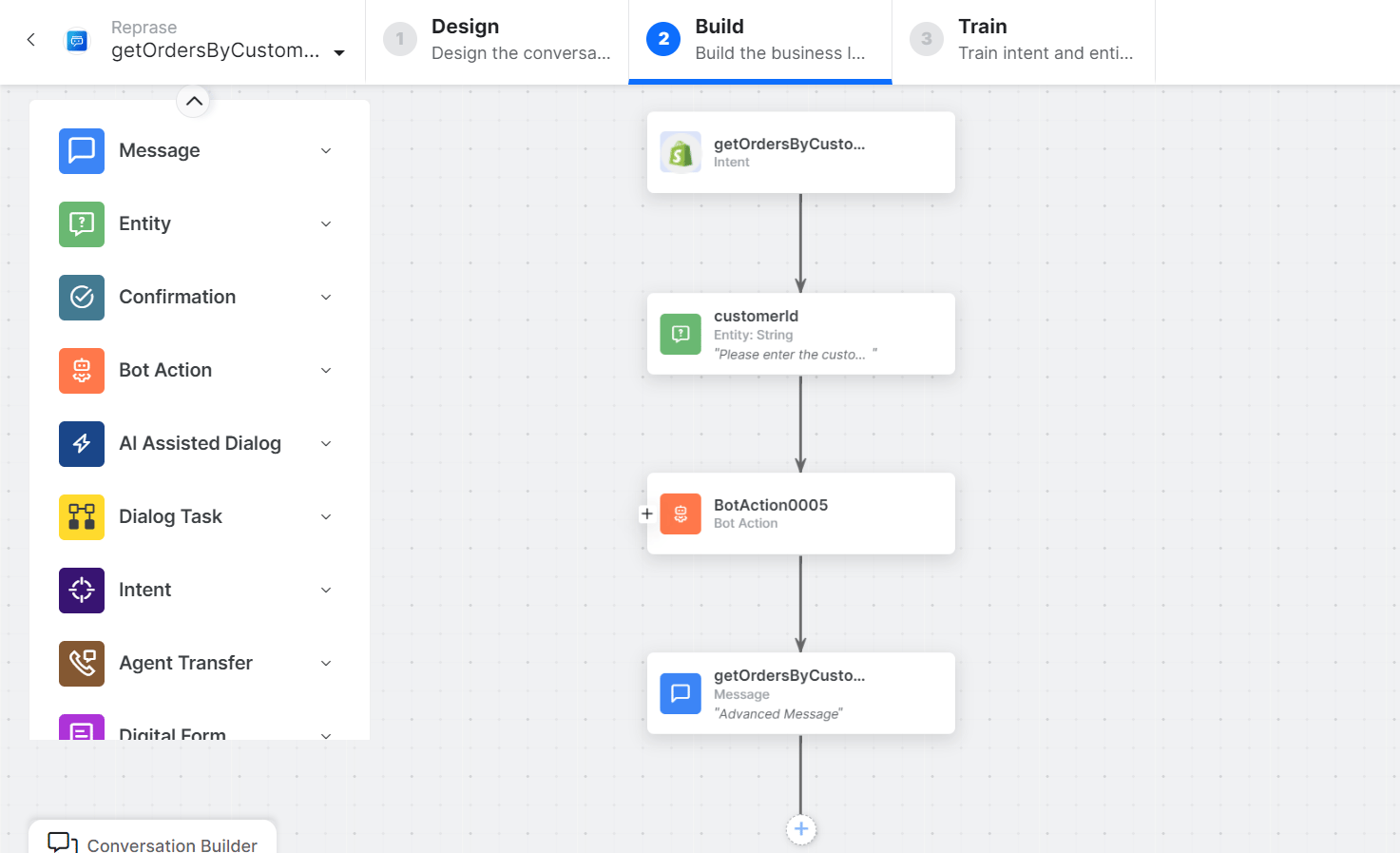 * **getOrdersbyCustomerID** - User intent to get orders by customer ID.
* **customerID** - Entity node for the customer ID.
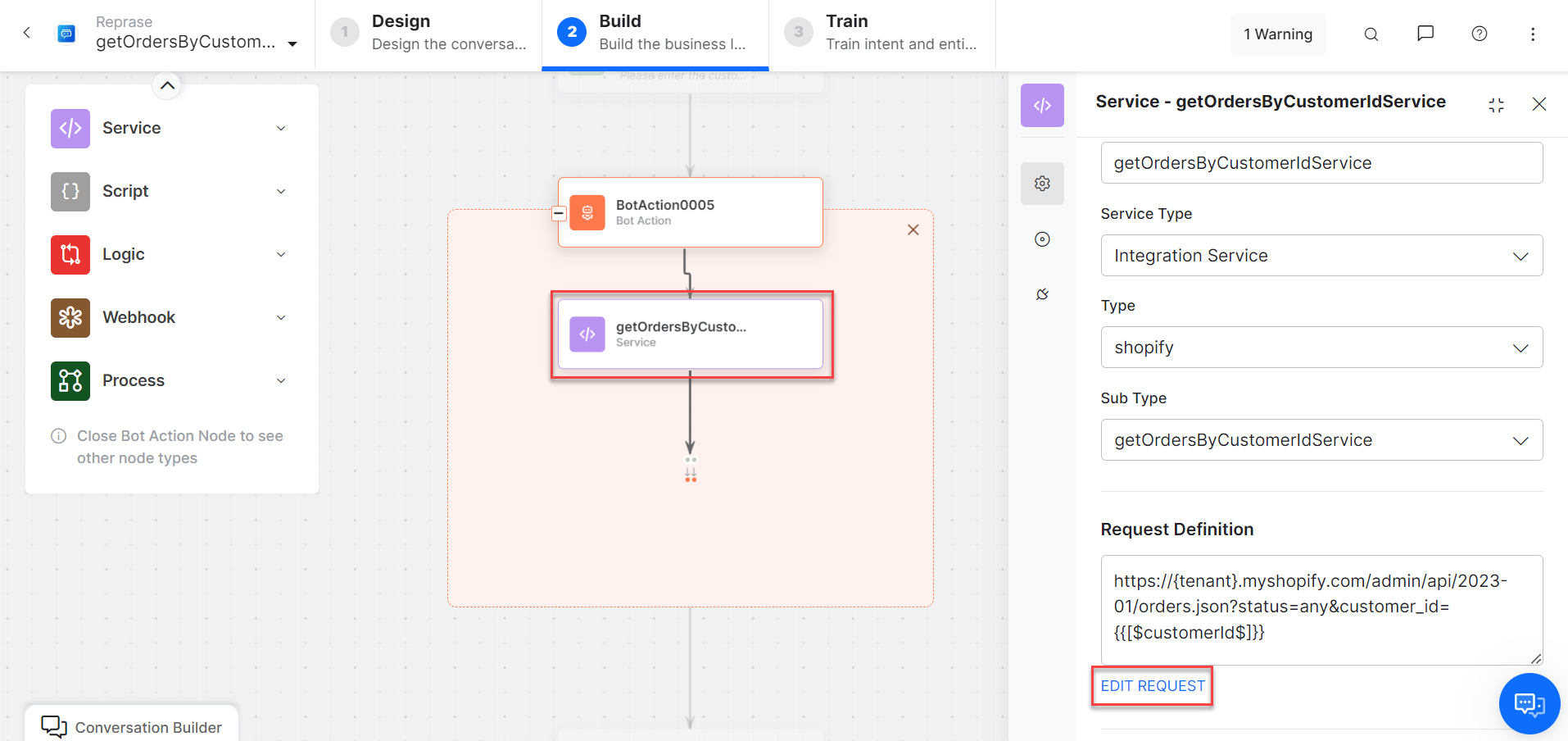
* **getOrdersbyCustomerIDService** - Bot action service to get orders by customer ID. Click **Edit Request**:
* **getOrdersbyCustomerID** - User intent to get orders by customer ID.
* **customerID** - Entity node for the customer ID.
* **getOrdersbyCustomerIDService** - Bot action service to get orders by customer ID. Click **Edit Request**:
 Click **+Add Response**:
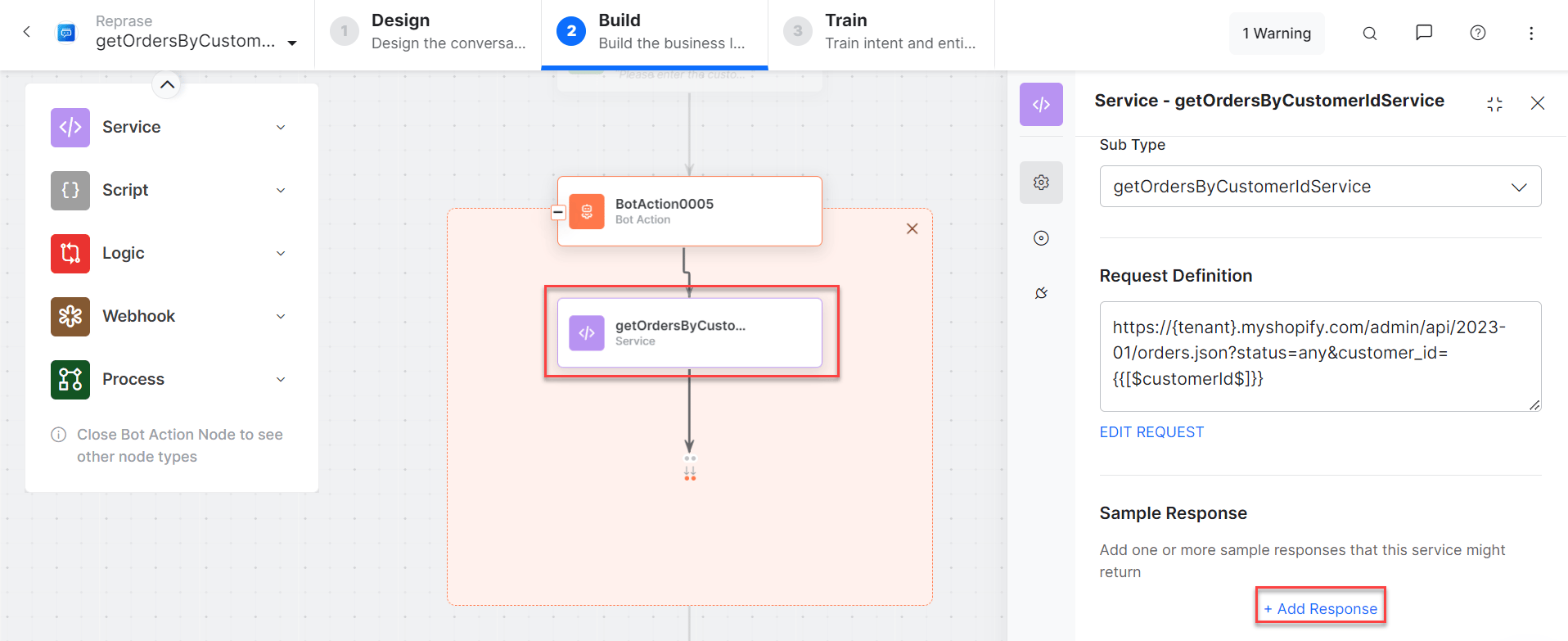 * **getOrdersbyCustomerIDMessage** - Message node to display responses.
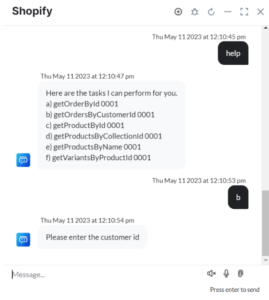
3. Click **Train**, then **Talk to Bot** to test:
* **getOrdersbyCustomerIDMessage** - Message node to display responses.
3. Click **Train**, then **Talk to Bot** to test:
 ***
### Get Products by Name
1. Install the template from [Shopify Action Templates](/ai-for-service/integrations/actions/configuring-the-shopify-action#step-2-install-the-shopify-action-templates).
2. The **Get Products by Name** dialog task is added with the following components:
***
### Get Products by Name
1. Install the template from [Shopify Action Templates](/ai-for-service/integrations/actions/configuring-the-shopify-action#step-2-install-the-shopify-action-templates).
2. The **Get Products by Name** dialog task is added with the following components:
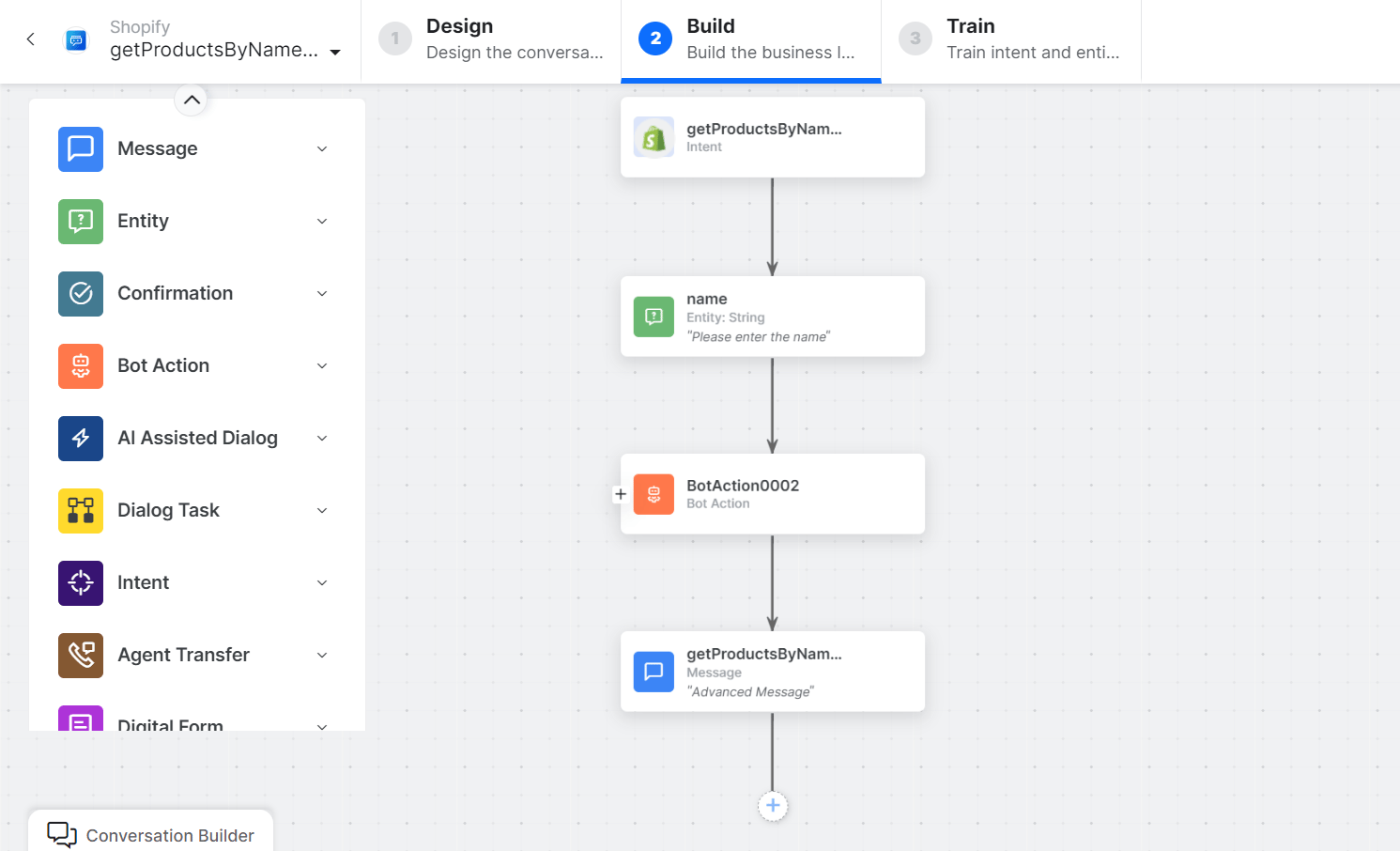 * **Get Products by Name** - User intent to fetch products by name.
* **Name** - Entity node for the product name.
* **getProductsbyNameService** - Bot action service to fetch products by name. Click **+Add Response**:
* **Get Products by Name** - User intent to fetch products by name.
* **Name** - Entity node for the product name.
* **getProductsbyNameService** - Bot action service to fetch products by name. Click **+Add Response**:
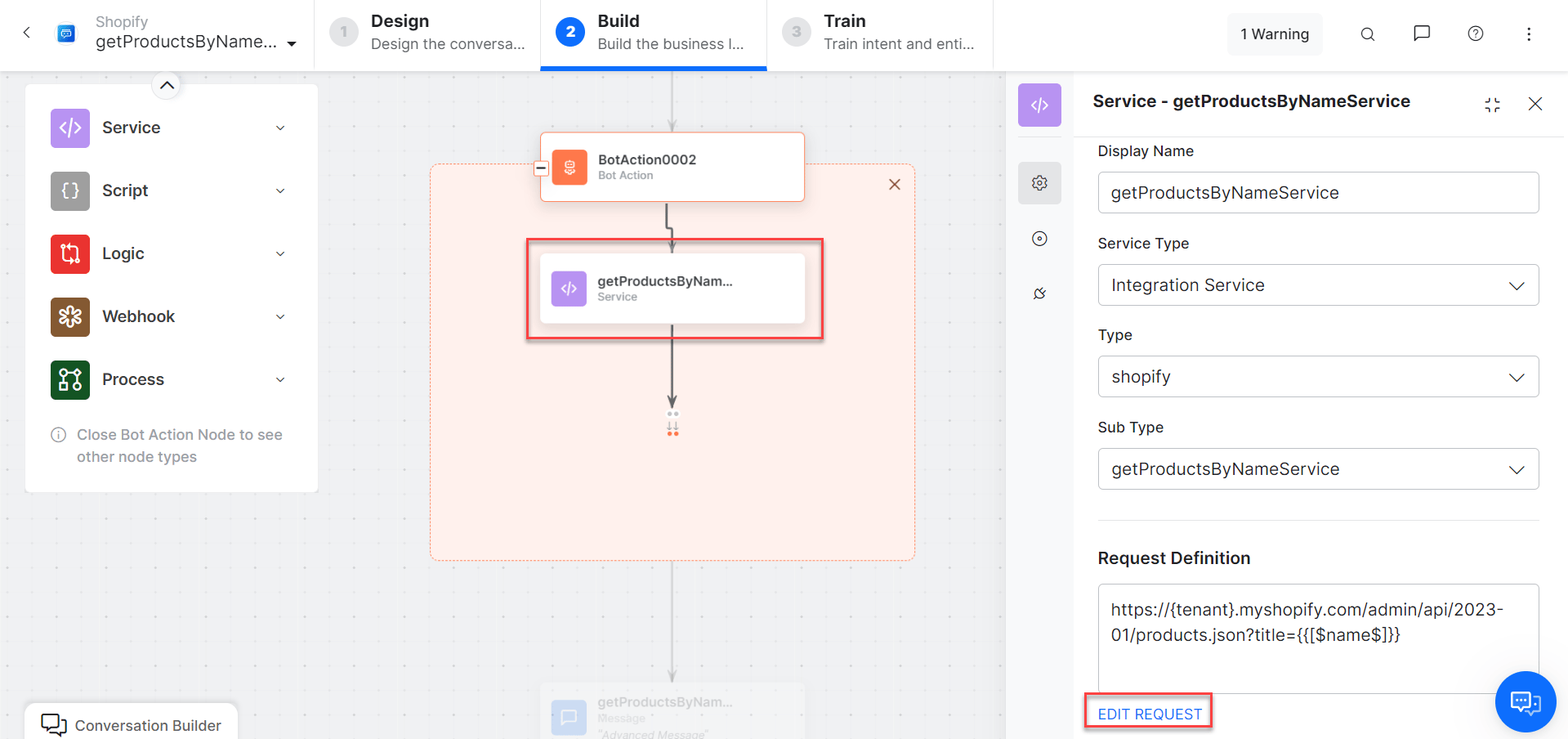 * **getProductsByNameMessage** - Message node to display responses.
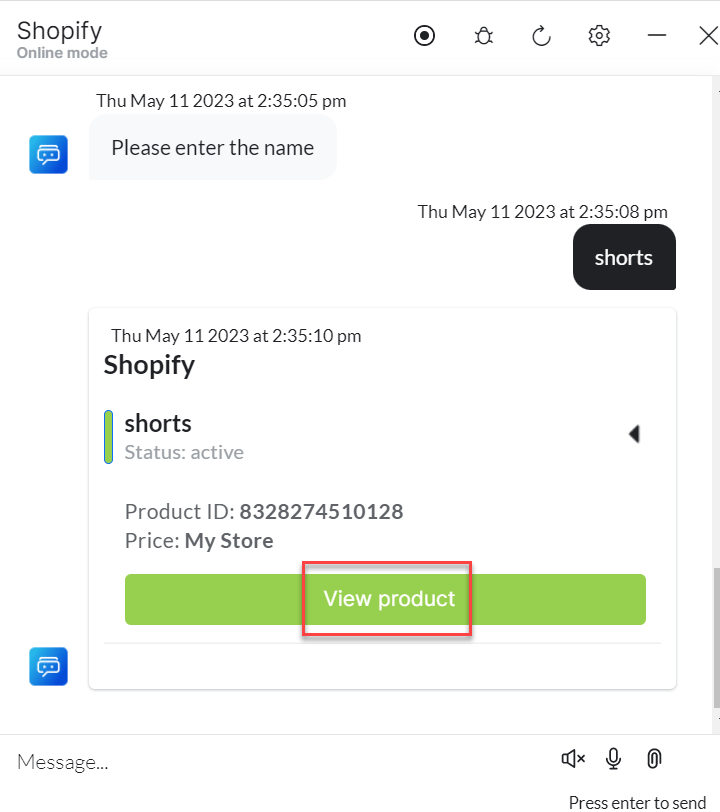
3. Click **Train**, then **Talk to Bot** to test:
* **getProductsByNameMessage** - Message node to display responses.
3. Click **Train**, then **Talk to Bot** to test:
 ***
### Get Product by ID
1. Install the template from [Shopify Action Templates](/ai-for-service/integrations/actions/configuring-the-shopify-action#step-2-install-the-shopify-action-templates).
2. The **Get Product by ID** dialog task is added with the following components:
***
### Get Product by ID
1. Install the template from [Shopify Action Templates](/ai-for-service/integrations/actions/configuring-the-shopify-action#step-2-install-the-shopify-action-templates).
2. The **Get Product by ID** dialog task is added with the following components:
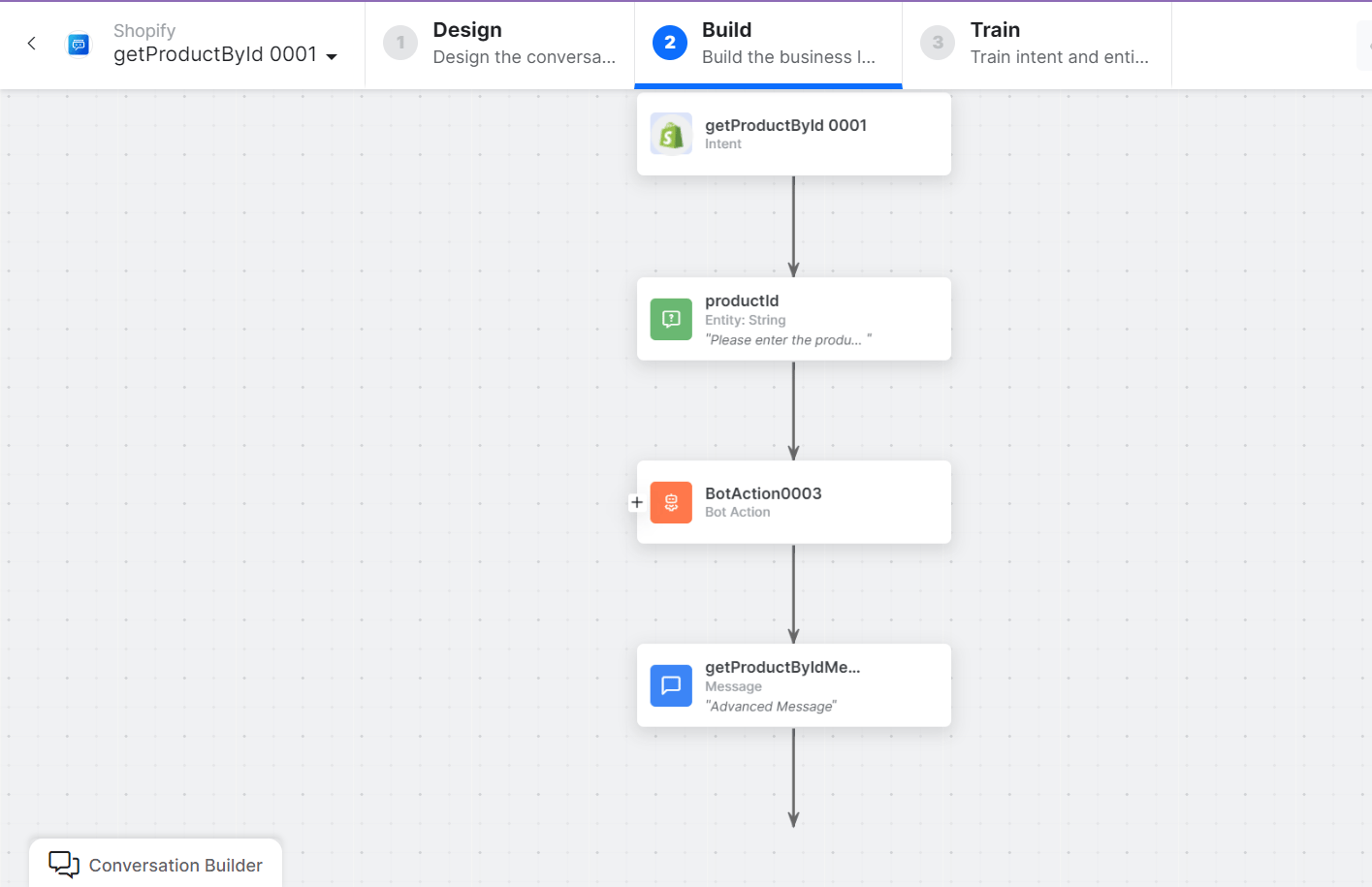 * **Get product by ID** - User intent to fetch a product by ID.
* **productId** - Entity node for the product ID.
* **getProductbyIDService** - Bot action service to find a product by ID. Click **Edit Request**:
* **Get product by ID** - User intent to fetch a product by ID.
* **productId** - Entity node for the product ID.
* **getProductbyIDService** - Bot action service to find a product by ID. Click **Edit Request**:
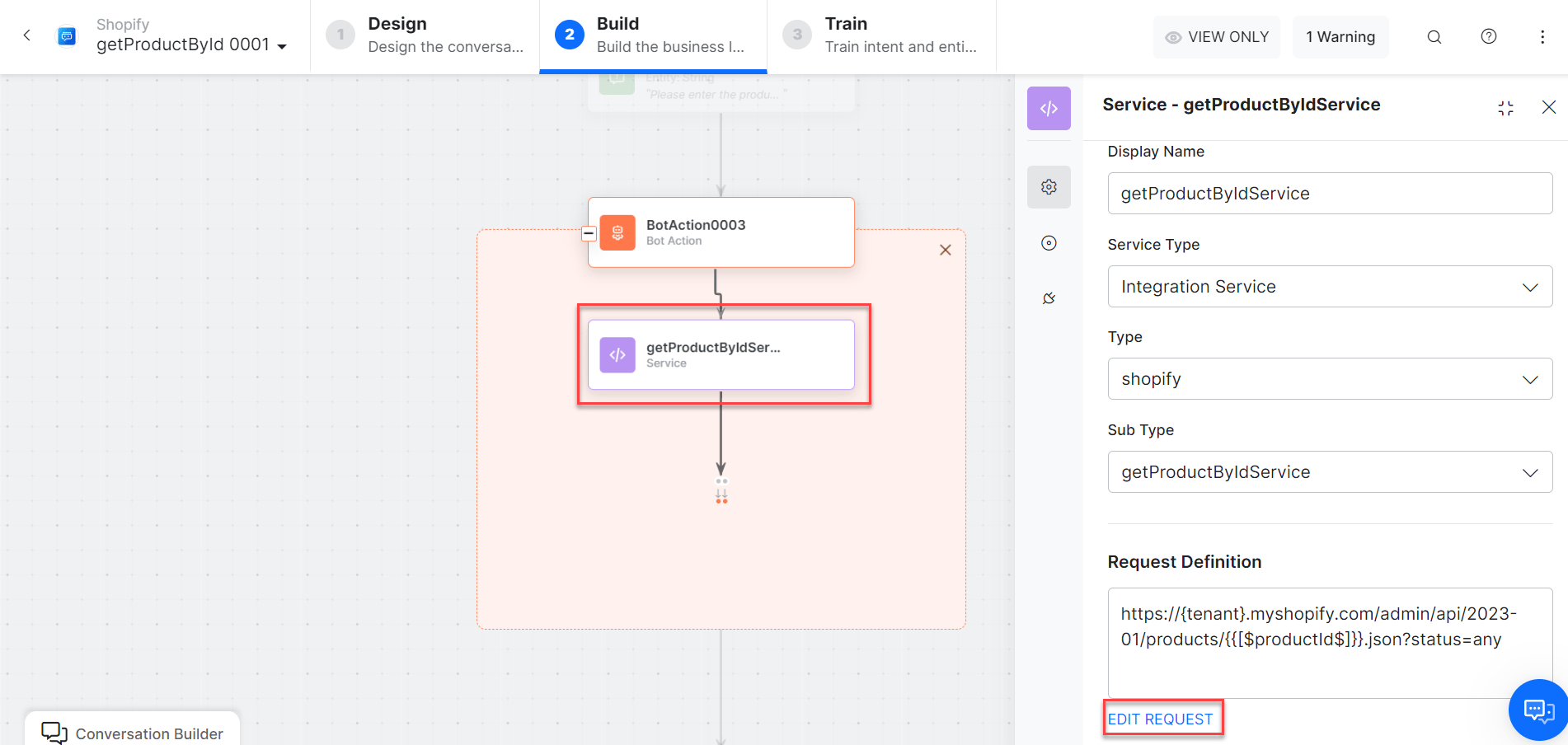 Click **+Add Response**:
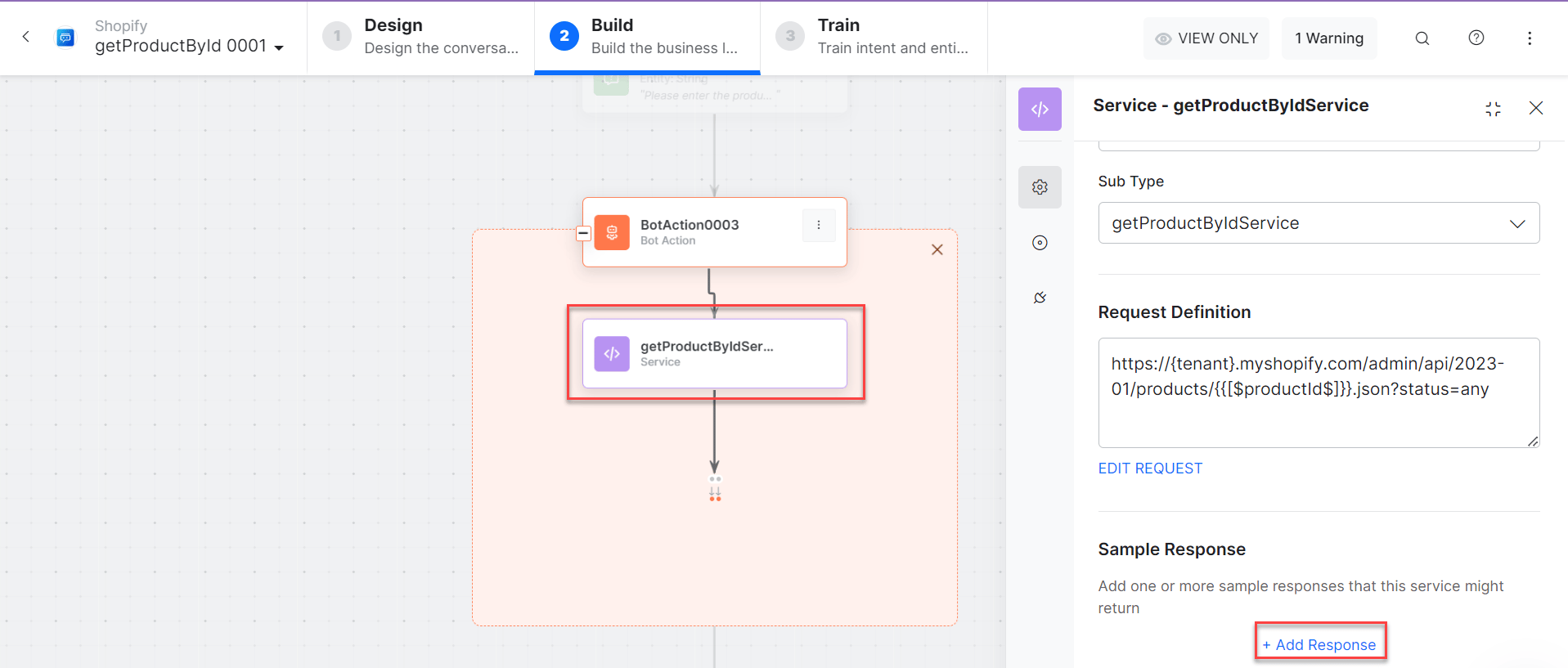 * **getProductbyIDMessage** - Message node to display responses.
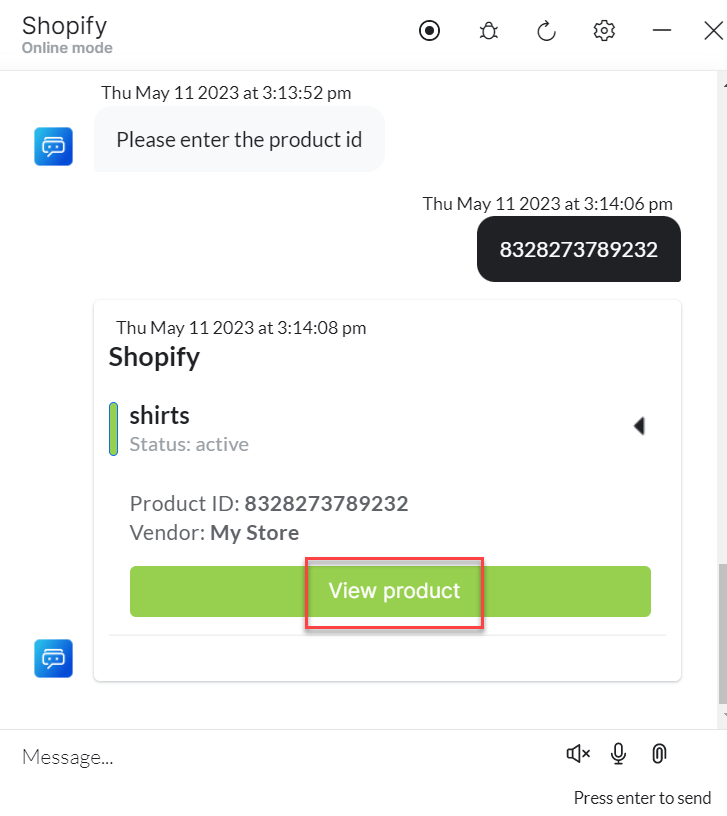
3. Click **Train**, then **Talk to Bot** to test:
* **getProductbyIDMessage** - Message node to display responses.
3. Click **Train**, then **Talk to Bot** to test:
 ***
### Get Products by Collection ID
1. Install the template from [Shopify Action Templates](/ai-for-service/integrations/actions/configuring-the-shopify-action#step-2-install-the-shopify-action-templates).
2. The **Get Products by Collection ID** dialog task is added with the following components:
***
### Get Products by Collection ID
1. Install the template from [Shopify Action Templates](/ai-for-service/integrations/actions/configuring-the-shopify-action#step-2-install-the-shopify-action-templates).
2. The **Get Products by Collection ID** dialog task is added with the following components:
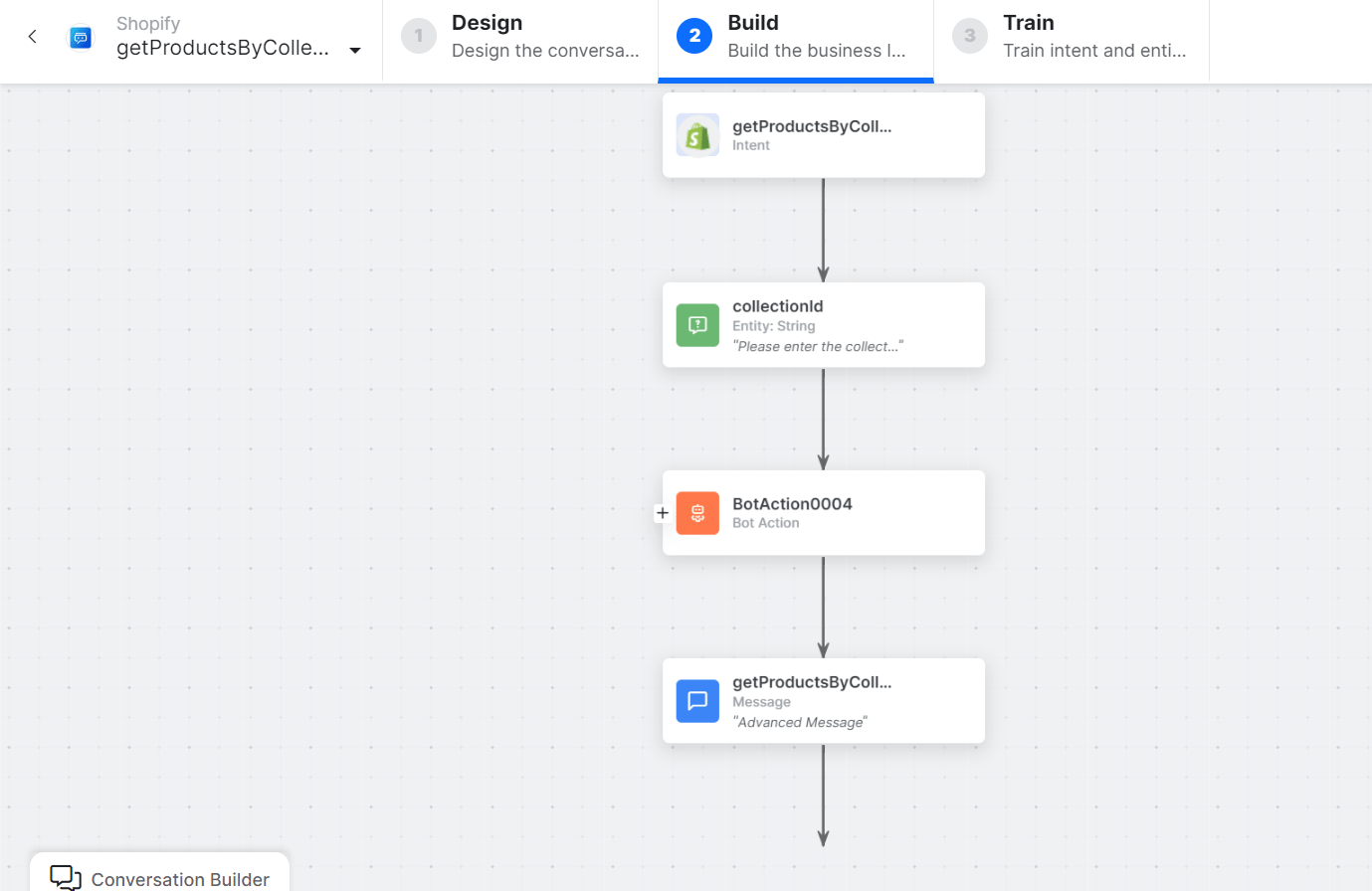 * **getProductsbyCollectionId** - User intent to fetch products by collection ID.
* **collectionID** - Entity node for the collection ID.
* **getProductsbyCollectionIDService** - Bot action service to fetch products by collection ID. Click **Edit Request**:
* **getProductsbyCollectionId** - User intent to fetch products by collection ID.
* **collectionID** - Entity node for the collection ID.
* **getProductsbyCollectionIDService** - Bot action service to fetch products by collection ID. Click **Edit Request**:
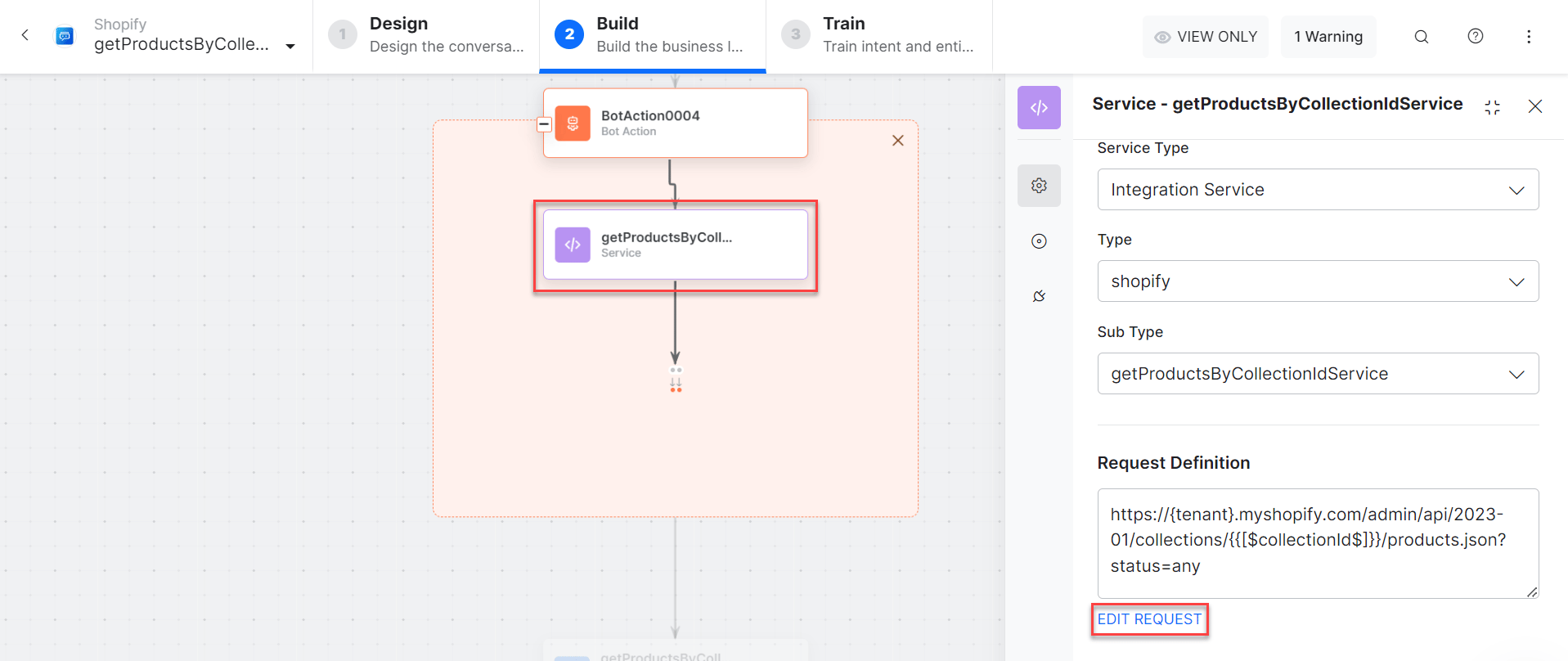 Click **+Add Response** for sample responses.
* **getProductsbyCollectionIDMessage** - Message node to display responses.
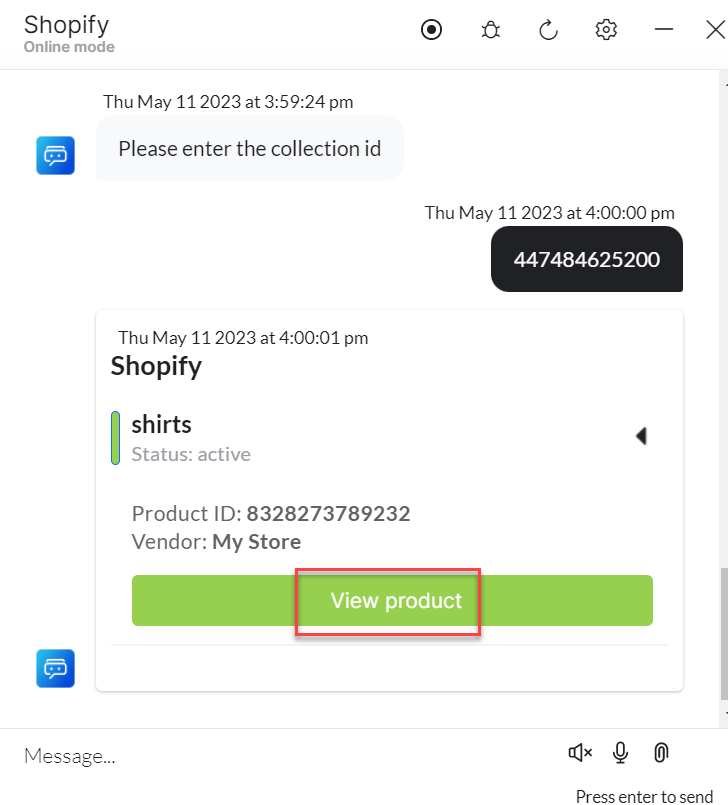
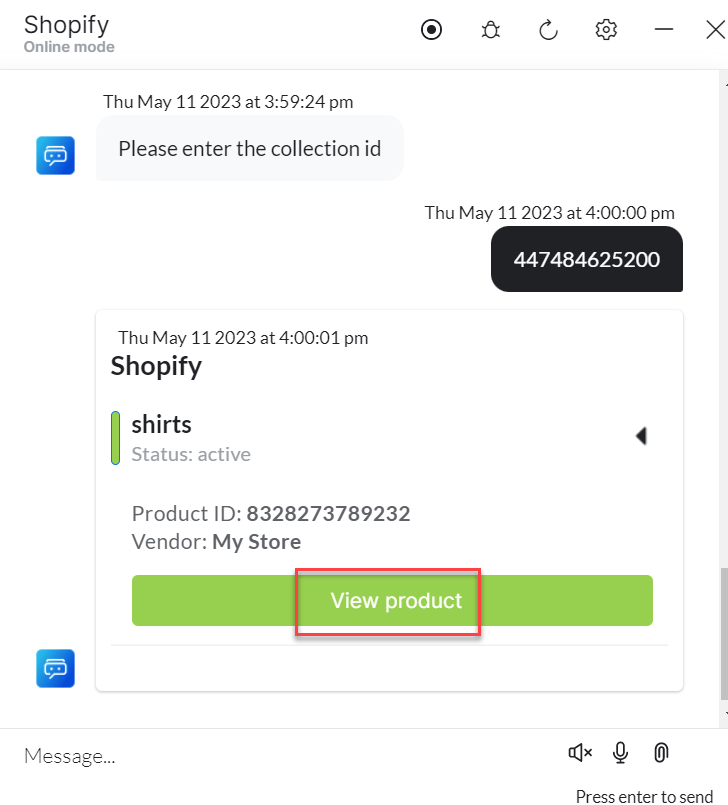
3. Click **Train**, then **Talk to Bot** to test:
Click **+Add Response** for sample responses.
* **getProductsbyCollectionIDMessage** - Message node to display responses.
3. Click **Train**, then **Talk to Bot** to test:
 ***
### Get Variants by Product ID
1. Install the template from [Shopify Action Templates](/ai-for-service/integrations/actions/configuring-the-shopify-action#step-2-install-the-shopify-action-templates).
2. The **Get Variants by Product ID** dialog task is added with the following components:
***
### Get Variants by Product ID
1. Install the template from [Shopify Action Templates](/ai-for-service/integrations/actions/configuring-the-shopify-action#step-2-install-the-shopify-action-templates).
2. The **Get Variants by Product ID** dialog task is added with the following components:
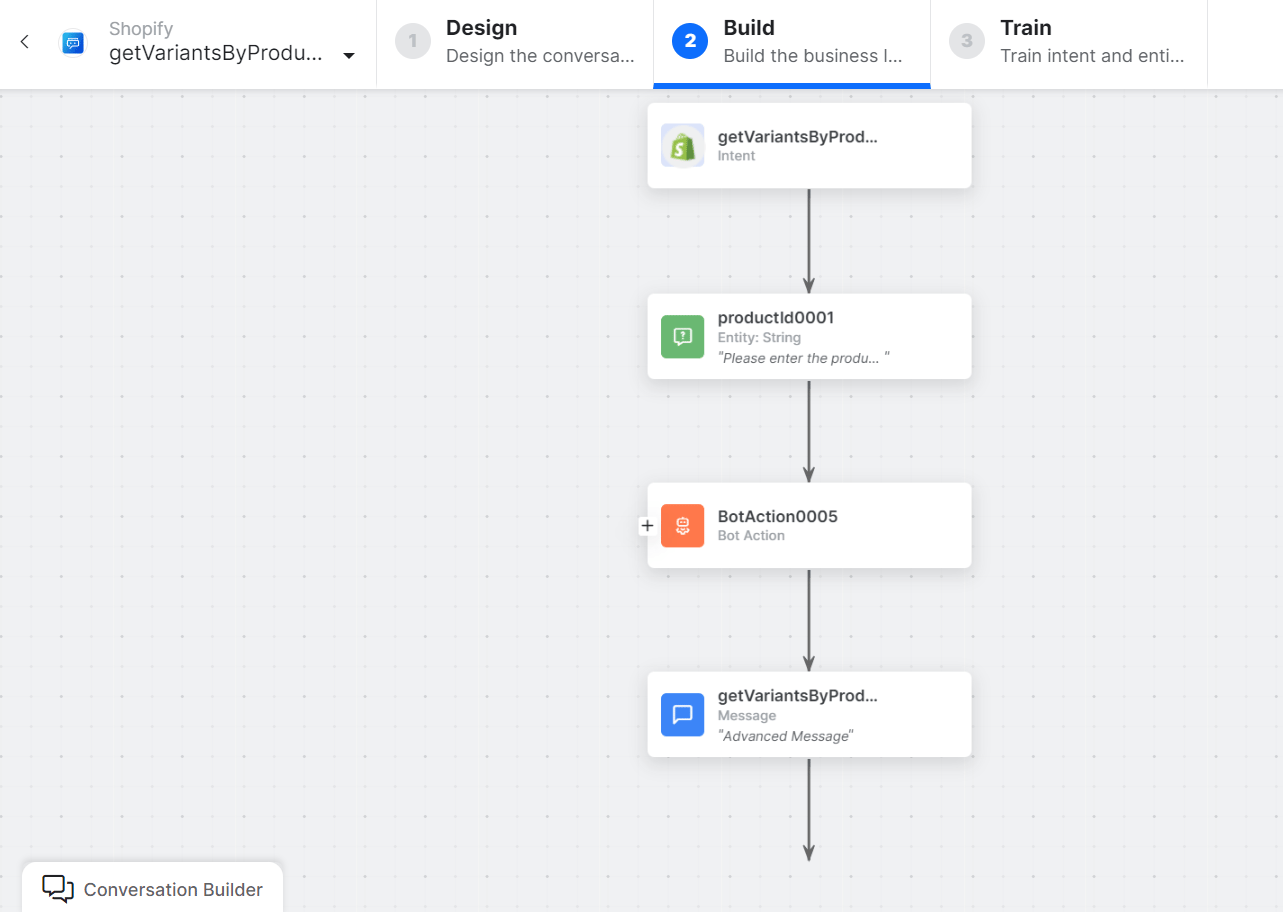 * **GetVariantsbyProductID** - User intent to fetch variants by product ID.
* **productId** - Entity node for the product ID.
* **getVariantsbyProductIDService** - Bot action service to fetch variants by product ID. Click **Edit Request**:
* **GetVariantsbyProductID** - User intent to fetch variants by product ID.
* **productId** - Entity node for the product ID.
* **getVariantsbyProductIDService** - Bot action service to fetch variants by product ID. Click **Edit Request**:
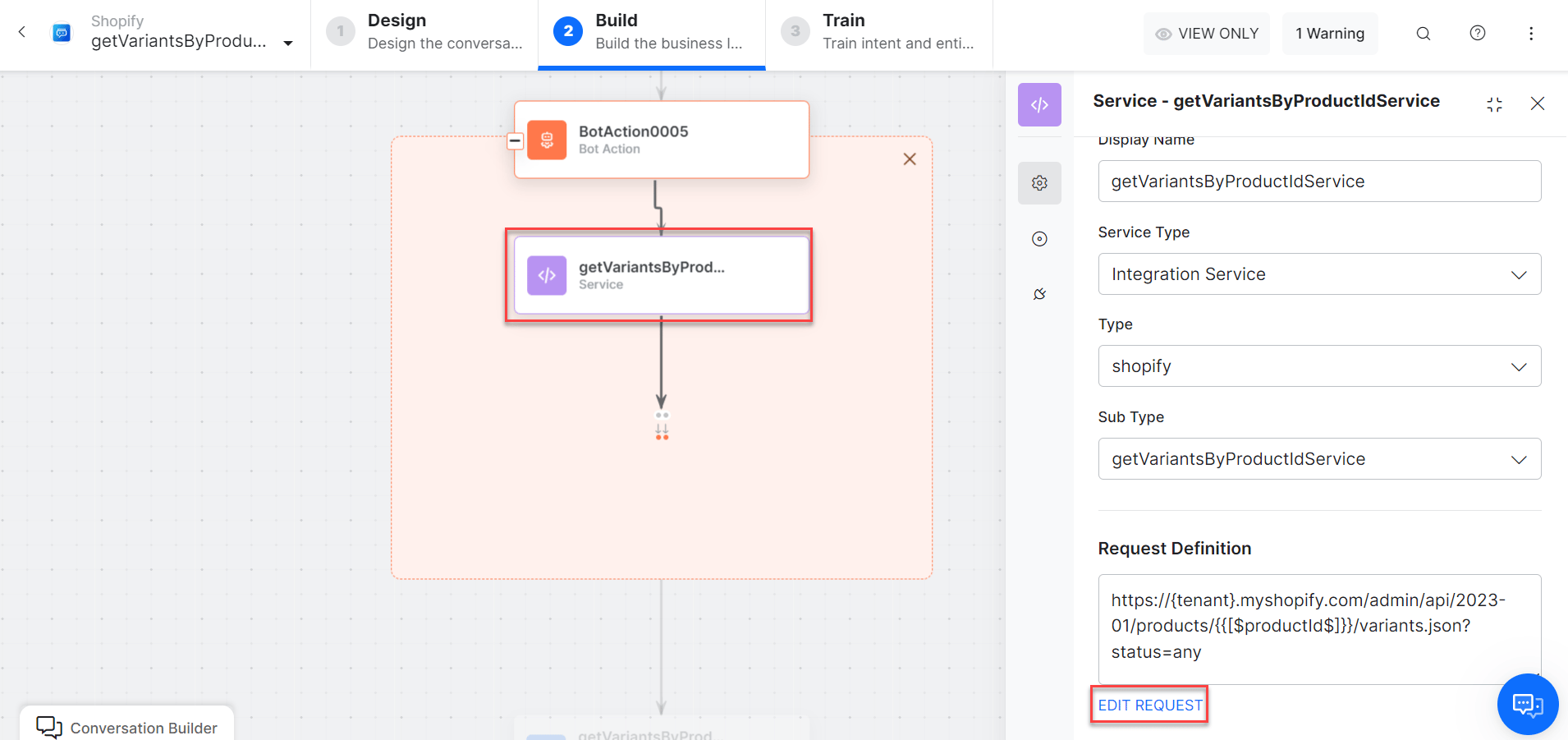 * **getVariantsbyProductIDMessage** - Message node to display responses.
3. Click **Train**, then **Talk to Bot** to test:
* **getVariantsbyProductIDMessage** - Message node to display responses.
3. Click **Train**, then **Talk to Bot** to test: